Every call answered, in your store’s name.
The Receptionist answers inbound calls around the clock, figures out why the customer is calling, and routes them to the right place or books them itself. Your team gets a clean summary of every call.
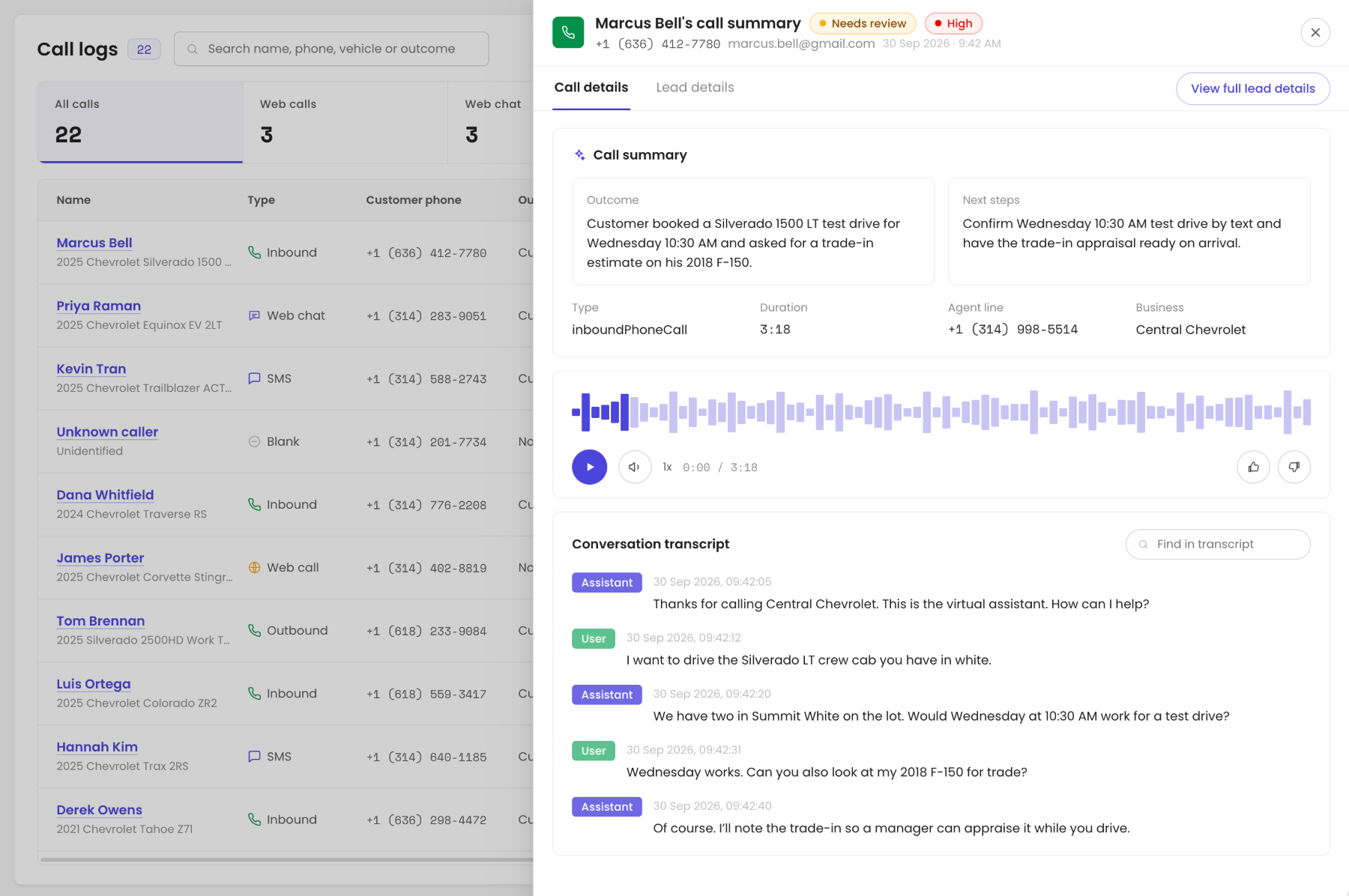
Every call, logged in Call Logs.
Recording, transcript, intent, and outcome for every call, with what the agent booked.
Answer customers wherever they reach out.
The same agent answers by phone, text, website chat, and live video, with the same knowledge and the same handoff to your team.
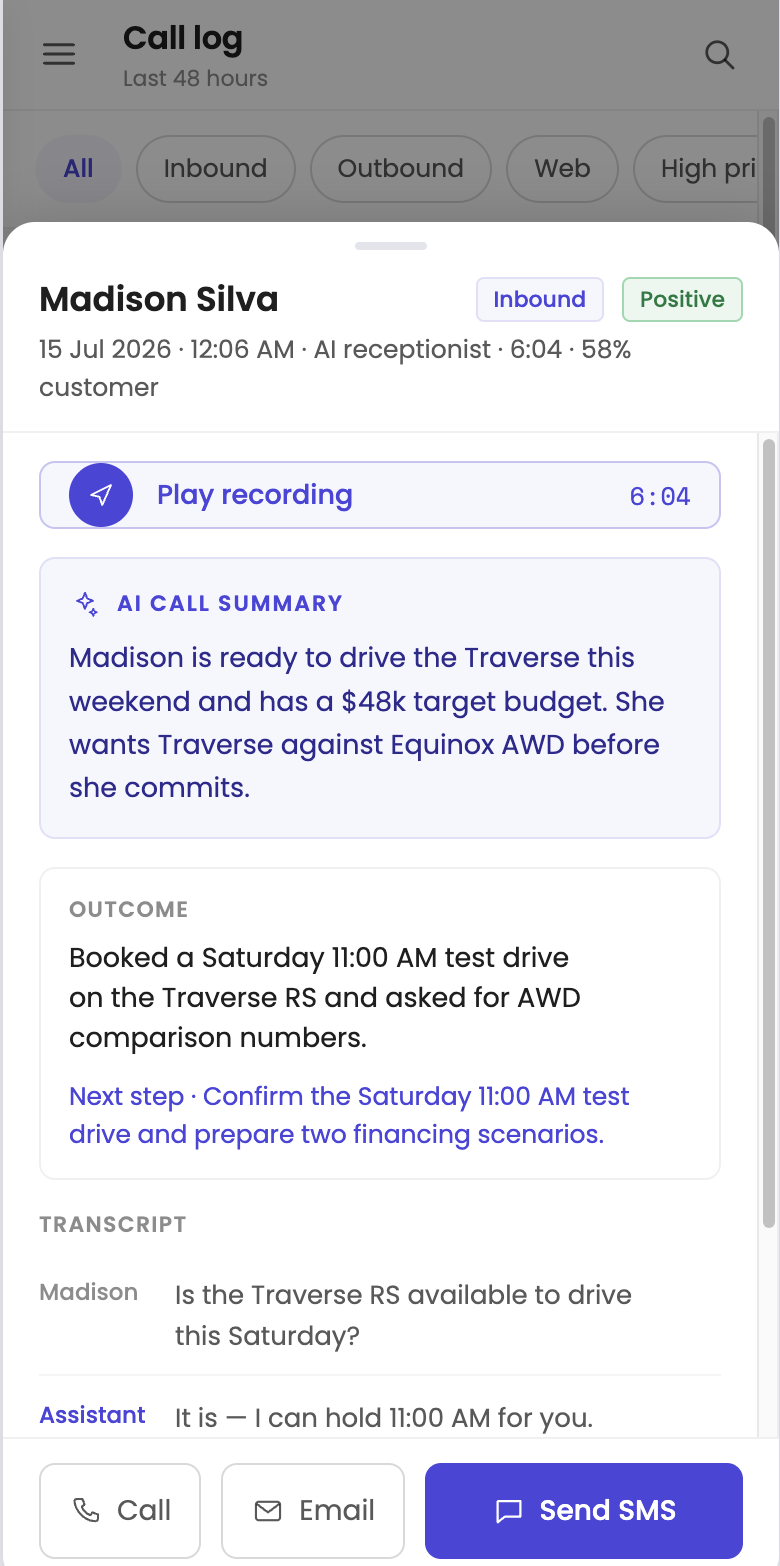
Calls and texts
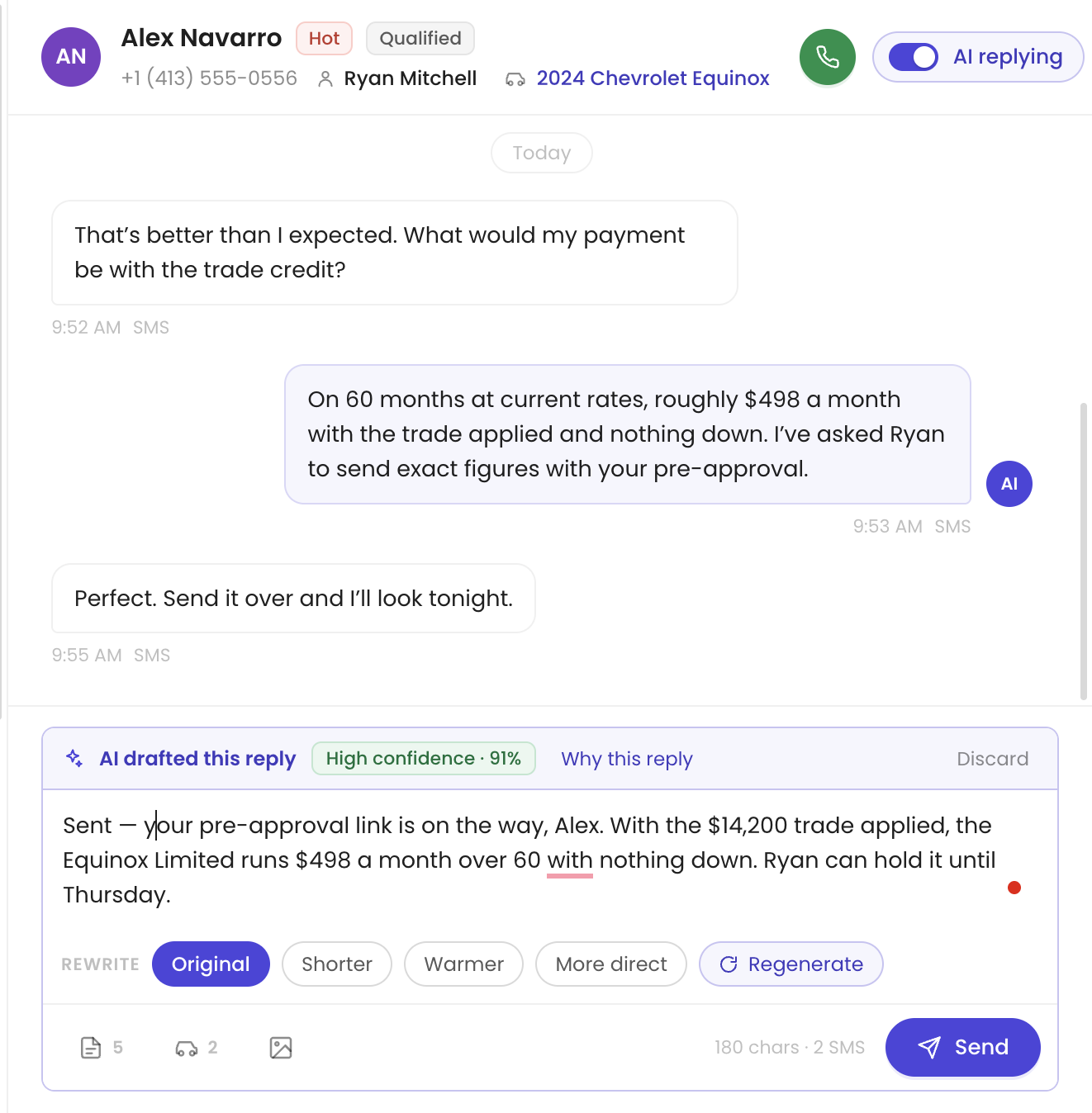
Answers the phone and keeps the conversation going by text.
Website chat
Answers shoppers on your site and books the visit without leaving the page.

Video agent
A face-to-face conversation for shoppers who want to talk it through.
What the AI Receptionist does for you.
Answers every inbound call
Day, night, weekends, and holidays, with your greeting and your hours.
After-hours coverage
Customers calling after close get a real conversation instead of voicemail.
Overflow
Picks up when every line is busy during the morning rush.
Department routing
Sends each caller to sales, service, or parts, with who’s calling and why.
Call summaries
A short written recap of every call: who, what they wanted, and the next step.
Captures caller details
Name, number, vehicle, and reason for the call, saved to the record.
What happens behind the conversation.
One agent, handing off to the rest.
Every agent reads leads with ASAP Check, so each handoff comes with what the customer asked and the next Play.
Make it sound like your store.
Power users can change the voice, prompts, tools, and hours in Agent Builder and hear a test call before going live. Or our team does it for you.
Questions about the AI Receptionist.
What happens when a caller needs a person?
The agent routes the call to the right department and passes along who’s calling and why.
Can it sit in front of our current phone setup?
Yes. It fits into your existing phone setup, and you can start without porting your number.
How fast can we go live?
Setup takes about 10 minutes of your time. Your agent goes live within 24 hours.
Do we need a new phone number?
No. You can start without porting your number.
Can we change what the agent says?
Yes. Power users can edit prompts, voice, tools, and hours in Agent Builder. Or our team makes the change for you.
See it on your own leads.
Book a 20-minute demo. We'll walk through your leads, your CRM, and how DealerHive fits your store.